
Technical context
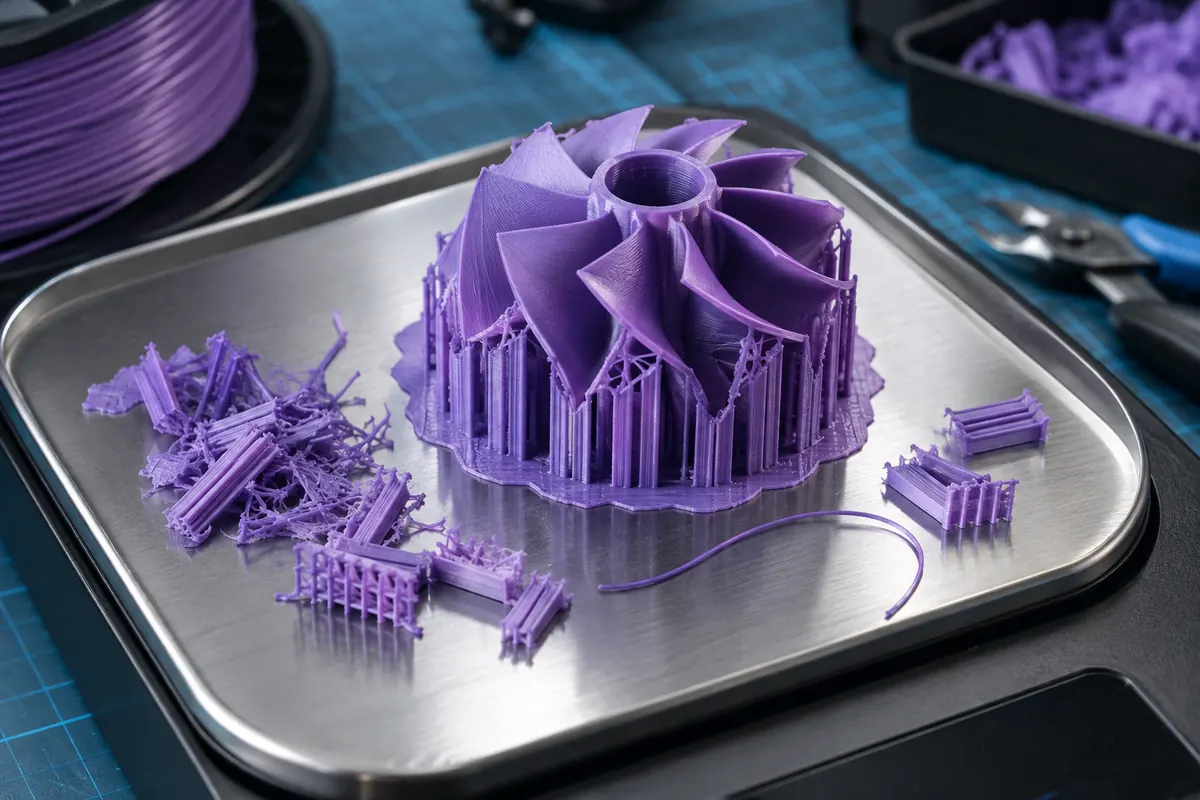
Slice with the actual machine, nozzle, material and quality profile, then inspect the consumption breakdown. If changing orientation removes supports, the model's geometric volume remains identical while consumed filament changes. This makes slicing more useful than multiplying a bounding box by density.
Material beyond the finished part
View data table
| Comparison | g |
|---|---|
| Part | 50 |
| Supports | 12 |
| Purge | 8 |
Practical workflow
Compare total stock demand with the net material remaining on each spool. If measuring by mass, exclude the spool. For repeated parts, update the estimate from complete-job consumption rather than the isolated finished part, especially for multicolor work.
Calculation and units
Price/g = spool price/net grams; material cost = consumed grams × price/g.
Worked example
750 g for 24 cost 0.032/g; 1,000 g for 28 cost 0.028/g. An 80 g print costs 2.56 or 2.24 respectively.
Validate the outcome
Include supports, purge and failed parts; cheaper material may have higher cost per accepted part if it creates rejects.
Read the whole slicing breakdown
Check whether the displayed grams include only the object or also supports, brim, skirts and material changes. Some slicers present these categories separately, while others show a combined total. Use the total that matches physical spool depletion when deciding whether the job can finish. Do not then add a separate support percentage if support was already included.
Confirm the material density and filament diameter used to turn extrusion volume or length into mass. If a profile uses a generic density, its grams remain an estimate. An apparently precise 73.42 g does not mean consumption was physically measured to one hundredth of a gram. Preserve the profile assumptions with the exported G-code.
Why infill percentage is not mass percentage
Take a hypothetical slicer breakdown with 30 g of walls and top/bottom layers, 10 g of sparse infill and 8 g of supports. Total consumption is 48 g. Reducing the sparse component by half would save 5 g and yield 43 g, not half the whole job. Walls and supports remain unless their settings or geometry also change. This arithmetic is a category illustration, not a promise that halving the infill setting exactly halves its grams.
Model orientation can change support consumption without changing geometric volume. Wall count can increase the shell fraction substantially on small parts. Compare actual sliced alternatives instead of multiplying solid mesh volume by one infill percentage, especially when the part has many thin walls or small cavities.
Validate consumption with a practical stock check
Weigh the same spool before and after a complete job using a suitable scale, accounting for any spool substitution or material removed outside the printer. The difference estimates total consumption. Weighing only the finished object omits discarded supports and purge, so it answers a different question. For a multicolor job, measure each supplying spool separately.
Compare measured consumption with the slicer prediction over repeated comparable work. If the difference is systematic, investigate density, filament diameter, startup extrusion and the report scope before applying an arbitrary allowance. Near spool end, include reserve for measurement uncertainty and the filament path rather than using exact equality as a safe completion guarantee.
Consumption categories example
| Category | Original | Changed infill |
|---|---|---|
| Shell | 30 g | 30 g |
| Infill | 10 g | 5 g |
| Supports | 8 g | 8 g |
| Total | 48 g | 43 g |
Reconcile one complete spool-to-part cycle
Weigh the supplying spool before and after and separately record accepted part, supports, purge and any removed scraps where practical. These categories should reconcile within measurement uncertainty. If spool loss exceeds the slicer total repeatedly, inspect profile density, diameter, startup routines and report scope. For multicolor, reconcile each spool separately. The check can improve inventory estimates without changing extrusion geometry solely to make reported grams match a scale.
Can an STL tell me exact filament use?
A suitable closed mesh can describe a solid geometric volume, but printed consumption still depends on shells, infill, supports and startup or purge paths. Even a validated solid volume is not an exact prediction for an ordinary partially filled FDM print. Slice using the intended production profile and report that result as an estimate, then compare with actual spool consumption.
Why does my scale disagree with slicer grams?
First check whether both measurements describe the same scope. The scale may include only the part, or the loaded spool may include its tare. Then check density, diameter and any startup extrusion outside the slicer's reported categories. Repeated comparable observations are more informative than a single difference. Do not change flow simply to force a metadata estimate to match a scale.